

Overview
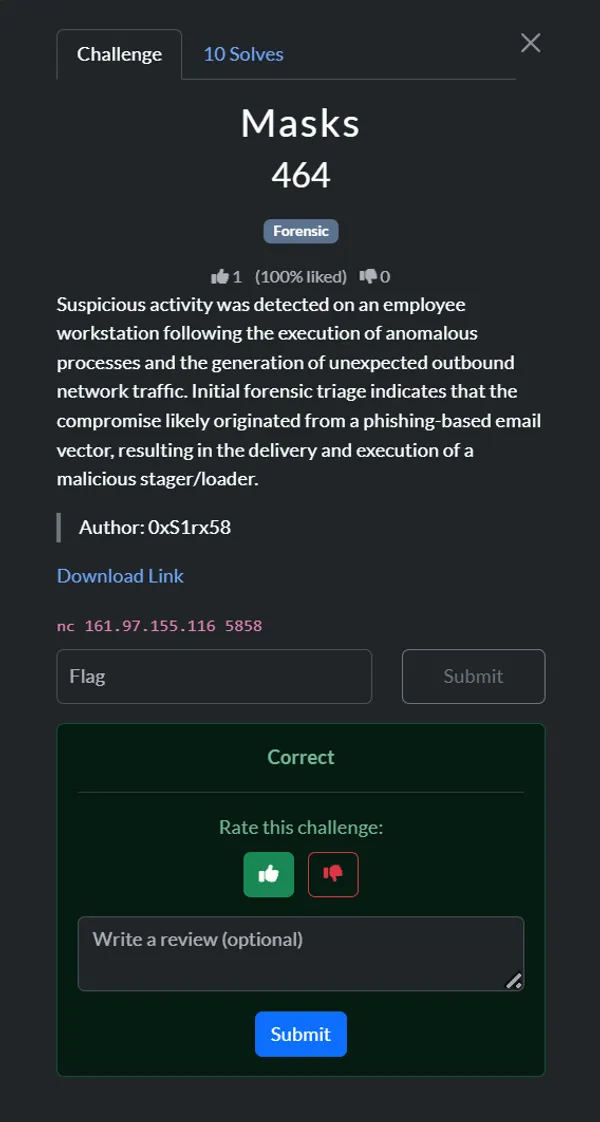
- Case: “Masks” phishing compromise (QnQSecCTF)
- Analyst: t4mpr
- Imaging source:
memdump.mem(Windows 10 workstation)
Suspicious activity was detected on an employee workstation following the execution of anomalous processes and the generation of unexpected outbound network traffic. Initial forensic triage indicates that the compromise likely originated from a phishing-based email vector, resulting in the delivery and execution of a malicious stager/loader.
Details
Suspicious activity on an employee workstation was linked to a phishing email that delivered a malicious loader. Memory analysis confirmed the full kill chain: Outlook processed the phishing message, an exploit delivered update.exe, the payload downloaded shellcode, beaconed to attacker infrastructure, and established persistence through a malicious Scheduled Task.
Key Findings
| # | Question | Answer | Supporting Evidence |
|---|---|---|---|
| 1 | Process delivering attachment | OUTLOOK.EXE | extracted/filescan.txt shows Outlook OST artefacts; vol windows.pslist lists OUTLOOK.EXE (PID 1880). |
| 2 | Phishing email timestamp (UTC) | 2025-09-06 15:24:45 | Email headers at extracted/ost1.export/Root - Mailbox/IPM_SUBTREE/Inbox/Message00004/OutlookHeaders.txt. |
| 3 | Exploited CVE | CVE-2025-8088 | Malicious document metadata in Q2_Financials_2025.xls references the CVE string. |
| 4 | Dropped executable path | C:\Users\tyler\AppData\Roaming\Microsoft\Windows\Start Menu\Programs\Startup\update.exe | ADS target extracted from the RAR attachment; memory strings and windows.filescan show the same path. |
| 5 | Malicious executable SHA256 | fdccd1cf5bc43b638e530cdccd0e284f018e3239f65a9896e2c02246b3e1a6af | Hash of update.exe (VirusTotal). |
| 6 | Shellcode download URL | http://121.109.119.121:8251/73317278.bin | Decoded loader response in analysis/lic3b_response_base64.txt; memory strings show the saved file 73317278.exe. |
| 7 | C2 IP:PORT | 121.109.119.158:443 | extracted/netscan.txt plus HTTPS GETs recorded in analysis/update_http_request.txt. |
| 8 | Persistence command | C:\users\public\tmp.cmd (Scheduled Task action) | Task XML dumped to extracted/tasks/...MicrosoftUpdate.dat; decoded command uses %APPDATA%\73317278.exe staging. |
Attack Narrative
1. Phishing Delivery
- The Outlook OST contained a message titled “Q2 2025 Financial Data – Immediate Review Required” received at
2025-09-06 15:24:45UTC. - Attachment
1_Q2_Financials_2025.rarincludes an ADS referencingStartup\update.exe, indicating an attempt to drop into Startup without drawing attention.
2. Exploit & Payload Deployment
Q2_Financials_2025.xlsis an OLE document exploitingCVE-2025-8088to execute the embedded RAR ADS payload.- The payload
update.exewas extracted intoC:\Users\tyler\AppData\Roaming\Microsoft\Windows\Start Menu\Programs\Startup\update.exe. - Volatility and strings confirm the path and the running process (PID 2484).
3. Shellcode Retrieval & Beaconing
- The loader contains a base64-encoded configuration (
analysis/lic3b_response_base64.txt) that, when decoded, downloads shellcode fromhttp://121.109.119.121:8251/73317278.bin. - Memory captures show the saved shellcode as
C:\Users\tyler\AppData\Roaming\73317278.exeand multiple HTTP requests to attacker infrastructure. extracted/netscan.txtlinksupdate.exeto outbound TLS connections to121.109.119.158:443.
4. Persistence
- Filescan located
\Windows\System32\Tasks\MicrosoftUpdate. Dumping the task revealed a user-created Scheduled Task executingC:\users\public\tmp.cmdevery minute under SYSTEM. - The batch file copies
%APPDATA%\73317278.exeto the Startup folder and launches it, ensuring persistence even if the Startup entry is removed.
Investigation Procedure
The following procedure documents how to reproduce the eight quiz answers and confirm the persistence mechanism using the provided memory image (memdump.mem). All commands assume access to Volatility 3 (vol), ripgrep (rg), Python 3, and common CLI utilities.
1. Enumerate Email Artefacts (Questions 1–3)
- List Outlook data structures
vol -q -f memdump.mem windows.filescan | rg -i "outlook" > extracted/filescan.txt- Dump the OST file (use the virtual address obtained in the file scan):
vol -q -f memdump.mem -o extracted/ost1 windows.dumpfiles --virtaddr 0xe0002a1e9ec0- Export mailbox contents
pffexport -t extracted/ost1.export -f all extracted/ost1/file.*.ost.dat- Obtain phishing email headers
cat "extracted/ost1.export/Root - Mailbox/IPM_SUBTREE/Inbox/Message00004/OutlookHeaders.txt"- Note the sending process (
OUTLOOK.EXE), the received timestamp (2025-09-06 15:24:45.606098400 UTC), and the exploit reference (CVE-2025-8088).

2. Inspect the Malicious Attachment (Questions 4–5)
- Extract the RAR attachment
unar "extracted/ost1.export/.../Attachments/1_Q2_Financials_2025.rar"- Identify the ADS drop path
strings "extracted/ost1.export/.../Attachments/1_Q2_Financials_2025.rar" | rg "Startup\\update.exe"- Confirm the dropped binary
rg -F "Startup\\update.exe" extracted/filescan.txt- Hash the payload
sha256sum update.exe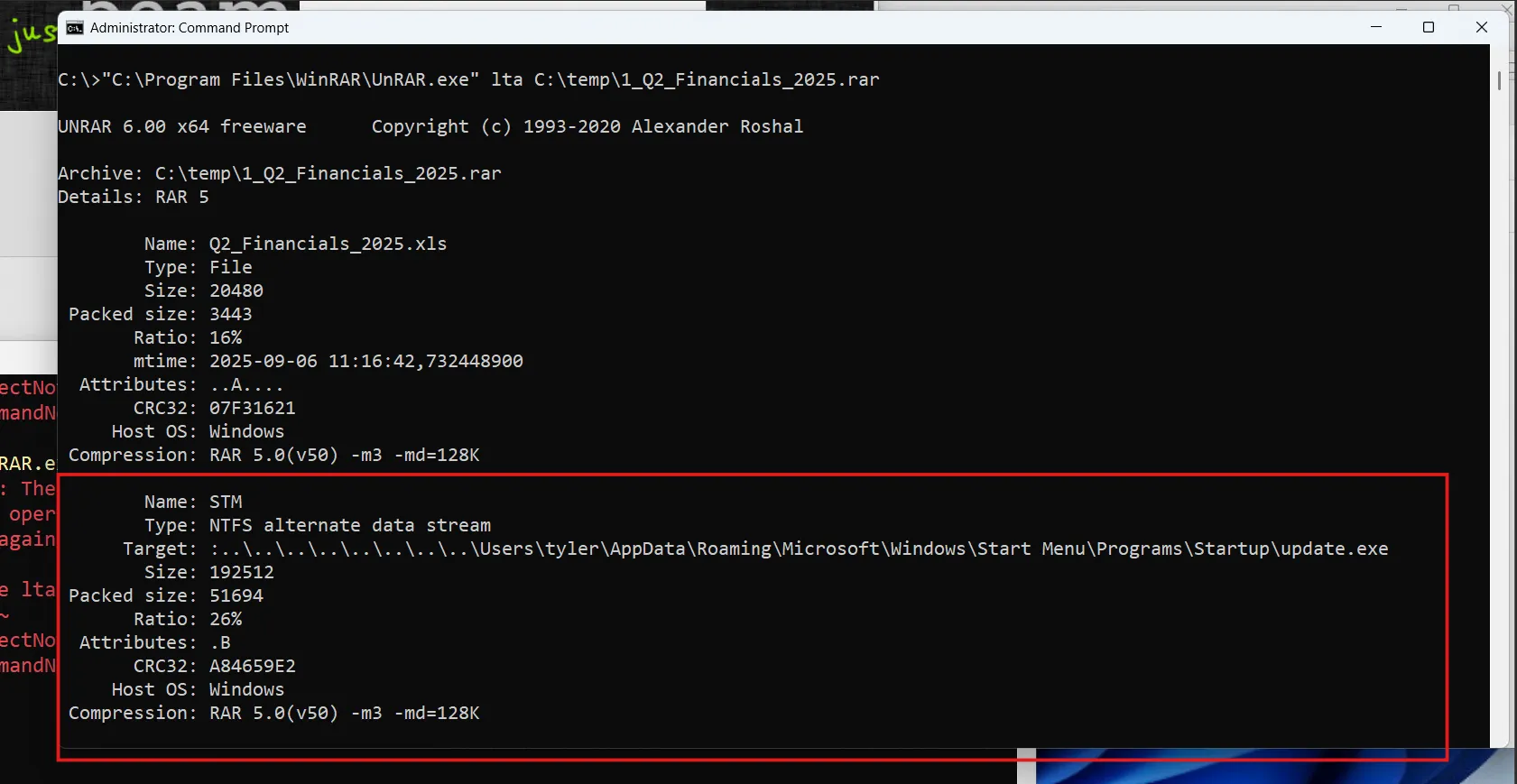

3. Shellcode Download & C2 (Questions 6–7)
- Extract loader response
cat analysis/lic3b_response_base64.txt | base64 -d > analysis/lic3b_response.bin- Identify download URL
strings analysis/lic3b_response.bin | rg "http://"- Confirm saved shellcode in memory
import mmapwith open('memdump.mem','rb') as f: data=f.read()for marker in [b'73317278.bin', b'73317278.exe']: pos=data.find(marker) if pos!=-1: print(marker, pos)- Extract network indicators
vol -q -f memdump.mem windows.netscan > extracted/netscan.txtrg "update.exe" extracted/netscan.txt- The output lists TLS connections to
121.109.119.158:443.
- Review raw HTTP requests
cat analysis/update_http_request.txt
4. Persistence Mechanism (Question 8)
- Locate Scheduled Tasks via filescan
rg -F "\Windows\System32\Tasks" extracted/filescan.txt- Entry of interest:
\Windows\System32\Tasks\MicrosoftUpdate(virtual address0xe0002925cf20).
- Dump the task XML
vol -q -f memdump.mem -o extracted/tasks windows.dumpfiles --virtaddr 0xe0002925cf20iconv -f UTF-16LE -t UTF-8 extracted/tasks/file.*.MicrosoftUpdate.dat > extracted/tasks/MicrosoftUpdate.xml- Review the action command
cat extracted/tasks/MicrosoftUpdate.xml- The
<Command>element reveals the persistence payloadC:\users\public\tmp.cmd.
- Correlate with staging batch
import mmap,stringwith open('memdump.mem','rb') as f: data=f.read()needle=b'hidcon:cmd.exe /c copy /y %appdat'pos=data.lower().find(needle)if pos!=-1: start=max(0,pos-100) end=min(len(data),pos+200) snippet=data[start:end] print(snippet.decode('latin-1',errors='ignore'))- Confirms the batch copies
%APPDATA%\73317278.exeto Startup and launchesupdate.exe.
Flag Retrieval
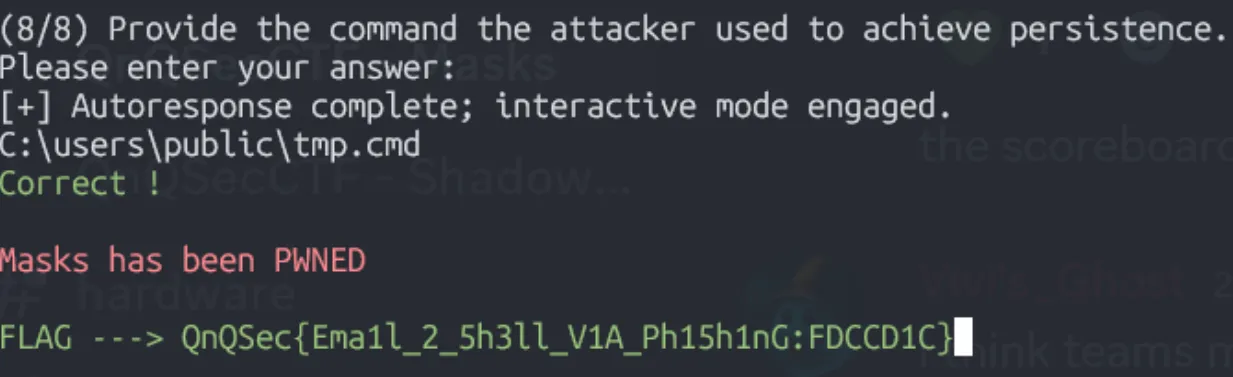
Flag: QnQSec{Ema1l_2_5h3ll_V1A_Ph15h1nG:FDCCD1C}
Indicators of Compromise
Files
C:\Users\tyler\AppData\Roaming\Microsoft\Windows\Start Menu\Programs\Startup\update.exeC:\users\public\tmp.cmdC:\Users\tyler\AppData\Roaming\73317278.exe
Scheduled Task
\MicrosoftUpdate(executesC:\users\public\tmp.cmd)
Network
121.109.119.121:8251(shellcode hosting)121.109.119.158:443(C2)
Hashes
update.exe:fdccd1cf5bc43b638e530cdccd0e284f018e3239f65a9896e2c02246b3e1a6af
Vulnerable Software
- WinRAR 5.2 - CVE-2025-8088
Containment and Mitigation Actions
1. Network Segmentation
- Immediately quarantine all affected machines
- Rebuild the affected workstation; reset user credentials
- Block malicious IPs/domains at the network perimeter
- Adjust network rules to limit the potential spread of any zero-day exploit payload
- Update YARA-L rules and Blacklist attacker IPs/domains
- Scan all machines & temporarily quarantine any other affected machines
2. Patching Initiative
- All identified WinRAR installations must be immediately updated to the current stable release, version 7.13
- The WinRAR update includes a patch for the path traversal vulnerability, CVE-2025-8088, and other security flaws
- Because WinRAR lacks an auto-update feature, a manual or automated deployment using SCCM, Intune, or another tool may be necessary
3. Expanded Software Update
- A comprehensive asset management review must be carried out to identify and update other outdated software, particularly on endpoints and servers
4. User Awareness
- An advisory should be sent to all employees informing them of the urgent WinRAR update
- Roll out security awareness focused on document-based phishing exploits; ensure Office patching levels mitigate
CVE-2025-8088
Key Takeaways
- Phishing remains effective: Even with technical controls, user awareness is critical
- Memory forensics is powerful: Volatility can recover complete attack chains from RAM dumps
- Persistence mechanisms vary: Attackers use Scheduled Tasks, Startup folders, and registry keys
- CVE exploitation: Zero-day and N-day vulnerabilities in common software (WinRAR, Office) are actively exploited
- Full kill chain analysis: Understanding each stage (delivery → exploitation → C2 → persistence) is essential for complete incident response
This challenge demonstrated real-world DFIR skills including memory analysis, malware triage, network artifact extraction, and comprehensive incident reporting.